
Beyond the Vibe
In this blog I am going to take you on a journey through the world of AI by using vibe-coding as a core example. We’re going to dive into the technicalities and the research involved in making the models great enough to vibe-code with and how these vibe-coding platforms are built.
Let’s start with what vibe-coding is, which takes us way back to Feb 3, 2025 to this specific tweet by Andrej Karpathy (a well known and leading AI Scientist)
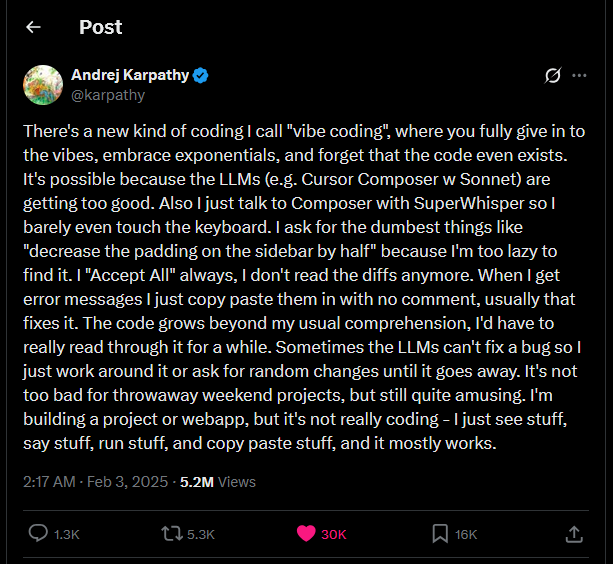
That’s honestly what vibe-coding is and it’s also where the term was coined for the first time and led to so many vibe-coding start-ups and products. Vibe-coding is essentially building a software project without looking at the AI generated code. But it’s also important to explain what vibe-coding is not. One, every LLM assisted software project doesn’t mean it’s vibe-coded. Two, you can start off vibe-coding a project then review the code, test it, make sure no secrets are exposed, make sure it’s all relevant and working as intended and then finally deploy it and this isn’t considered as vibe-coding.
Vibe-coding is a great way to prototype ideas, explore UI/UX concepts and to build small throw-away weekend projects. But what vibe-coding isn’t good at is building safe and secure projects, production scale platforms, and with the current state of the models building very complex front and backend heavy projects. We’ll dive-deeper into these pros and cons later. With that out of the way let’s look at what it takes the models and platforms to do this.
The Model
For a model to be great for vibe-coding it has to get the basics right...
One, these models have to be conversational. They have to be helpful when you’re explaining things to them and they have to respond in an appropriate way. When companies train and produce LLMs, the models produced right after training are called base-models and these aren’t good at conversations at all. They’re only good at generating and predicting the next token (symbol, alphabet) in a sequence. There’s an exception to these types of models which are called instruct-models. They’re trained with conversational data within the initial training which allows them to converse properly when prompted right after training. But as for base-models extra steps are necessary.
Two, these models have to be good at coding. Not every model is good at coding, in-fact coding is such a unique and difficult task to be performed by LLMs that there are a whole class of AI Evals to test their coding abilities. Even surpassing that, models like Claude wouldn’t have been where they’re at if it wasn’t for the model’s ability to generate more working and proper code than others.
Three, these models have to be good at tool-calling. LLMs are great at predicting the next token, but they’re not great at performing multi-step calculations or tasks. To fill this gap, we provide tools the LLM can call to delegate it’s calculations and produce more accurate results as demonstrated by the paper Toolformer: Language Models Can Teach Themselves to Use Tools. Tool-calling became such an essential ability of models that almost all frontier labs implement this ability and compete on tool-calling benchmarks. Tool-calling was also so essential and widespread that Anthropic introduced a new standard called the Model Context Protocol (MCP) that unifies the way developers give models access to the tools they built. By having this standard, frontier labs can better train and fine-tune their models to improve their ability to make tool-calls.
Four, these models have to be good at Reasoning or more technically called Chain-of-Thoughts. Reasoning in LLMs are simply intermediate steps that help the LLM better predict a better and more accurate response. These days, models are made to reason and plan through a series of Reinforcement Learning and Human Feedback loops but any sufficiently advanced and large LM can be made to reason by adjusting your prompts as shown in this paper Chain-of-Thought Prompting Elicits Reasoning in LLMs
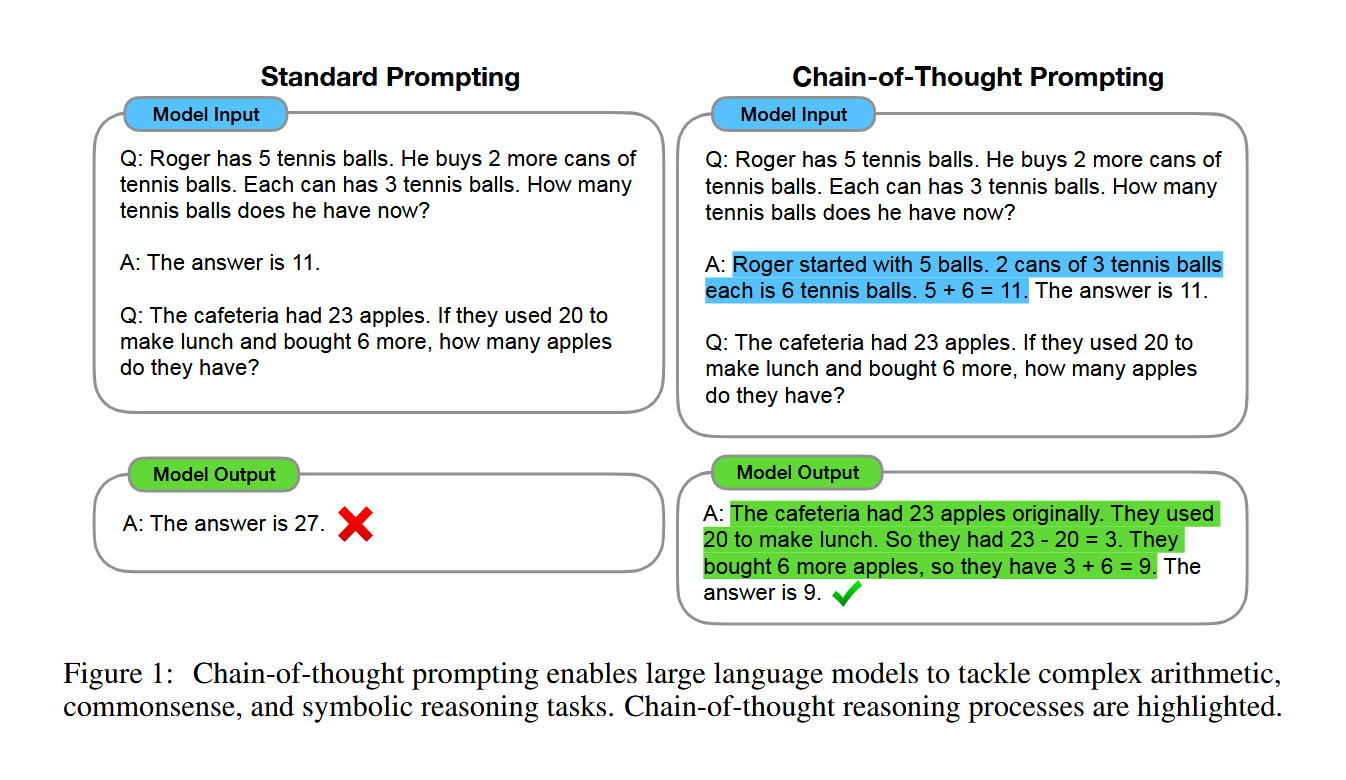
These four abilities of a model; conversationality, coding, tool-calling and reasoning are the perfect ingredients to produce a great model that’s perfect for vibe-coding (and more). They all have one thing in common, which is that all of them are strongly implemented by a technique called fine-tuning.
Fine-tuning is the process that converts a base-model into a useful assistant. Simply put, it is the process of training the model a bit more to make it become conversational, follow instructions, have a certain tone/personality, respond in a specific structure, have domain expertise, make tool-calls, reason, plan, and align to a certain policy. Fine-tuning is what made GPT-2 into GPT-3, the model the world was introduced to as ChatGPT.
Fine-tuning is perhaps the most important step frontier AI Labs use to dominate benchmarks and compete with other labs. A well fine-tuned low parameter base-model can outperform a larger model on certain benchmarks mostly because the smaller model will have better domain expertise than the larger one.
After all of this, we now have a model that can politely converse with us, can follow the instructions we’ve given it, can code very well, reasons properly to fix it’s own bugs and finally can expand it’s abilities by making tool-calls. We have the perfect model, now it needs a place to operate in… The Platform.
The Platform
These fine-tuned models are sometimes so specialized in a certain task (like coding) that entire products are built around them. Products like Claude Code from Anthropic and Codex from OpenAI are prime examples. These models are so fine-tuned in coding tasks that it’s better to interact with them in a different platform than the normal chat interface.
Now we’re off to building the vibe-coding platform and the reason we’re doing this is because of context switching. See, you can just visit Chatgpt.com and start prompting it to build you a site but then you’ll have to initiate a project on your computer, install relevant packages, copy the code snippets ChatGPT generated, go to your IDE, create relevant files, paste into them and run them, and then keep doing this over and over again, which is… ruining the vibe. We want the model and the platform to work hand in hand and handle all of this for us so that we just sit back and preview the results and suggest new features and changes. That is why we need a platform to vibe-code in.
I’ve classified these platforms into four. CLI based, IDE based, Web Based and Mobile Based.
-
CLI based platforms are arguable the first platforms that enabled vibe-coding. Namely, Claude Code is what was used to vibe-code in during the start. This’s a terminal/command line based solution that was friendly for terminal lovers. Claude Code was such a success that other companies like Google and OpenAI released their own versions called Gemini CLI and Codex CLI while also open-source alternatives like OpenCode came up.
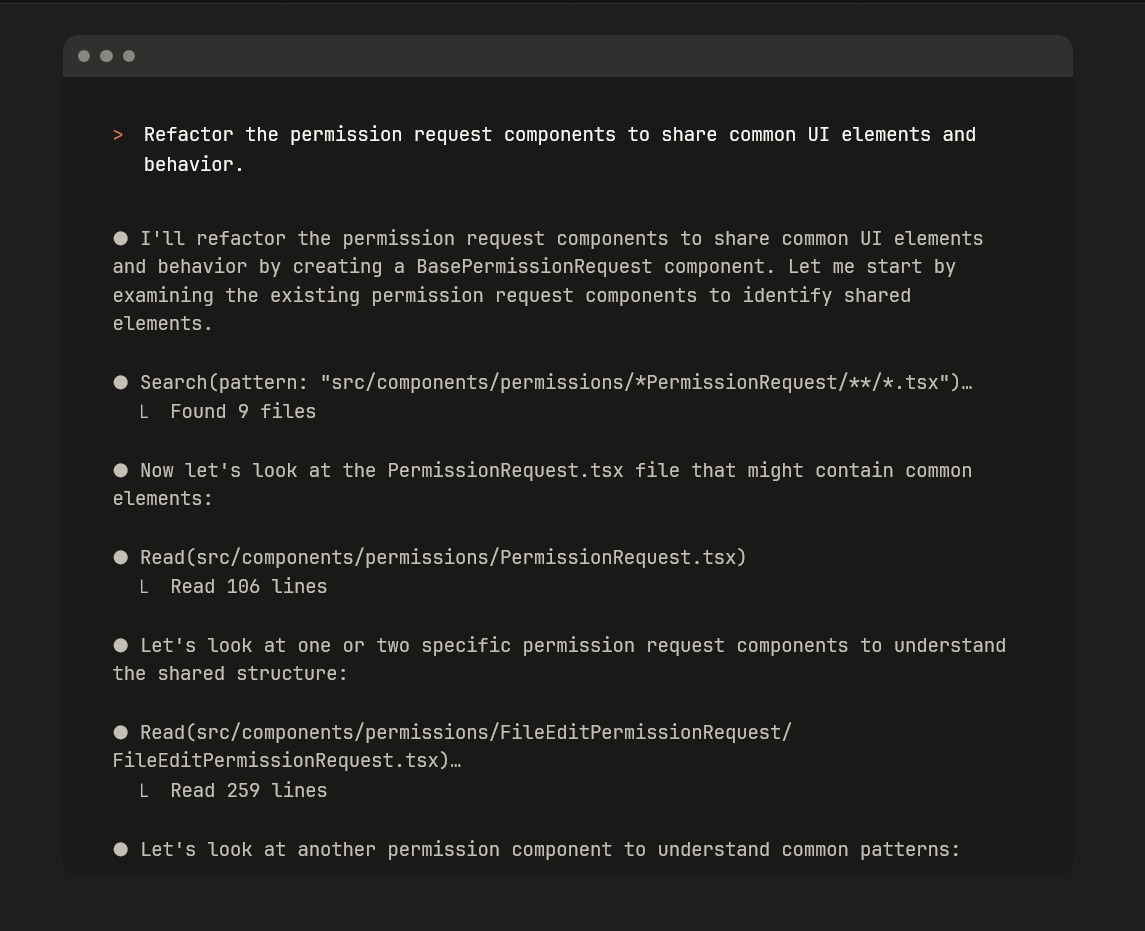
As great as CLI based vibe-coding was, it wasn’t comfortable for the majority of people due to the limitations of the terminal to handle multiple layouts properly due to it’s lack of Graphical User Interface (GUI) which led people to…
-
IDE based platforms are mostly the VS Code forks of the world. Namely Cursor and Windsurf. VS Code is one of, if not the most, popular IDE out there. Beginners and experienced devs liked and used this open-source IDE very much. So companies like Cursor and Windsurf forked it and built an AI chat side panel to it while also building tools to let these LLMs get direct access to read, write, edit and remove your code from files along with the ability to create files and run commands in the terminal. This was such an innovative platform that Cursor became one of the fastest growing and highly valued tech company out there.
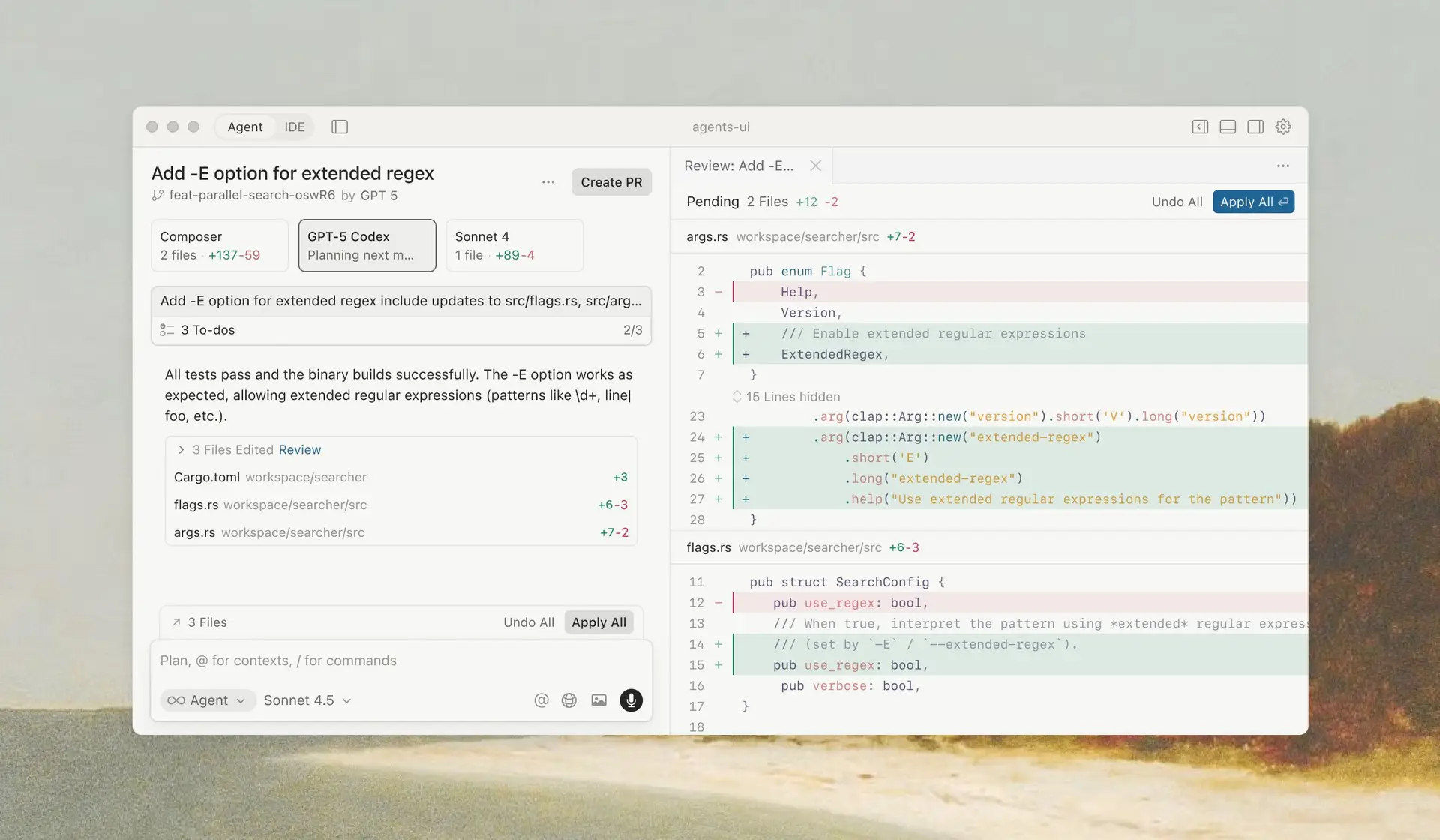
IDE based platforms are great for vibe-coding because they are very comfortable to use with multiple layouts and very intuitive UI designs. You have your AI chat on the side, your code beside it and your files nearby. This lets you see all the changes visually, while also easing navigation between files and chatting with the AI models.
-
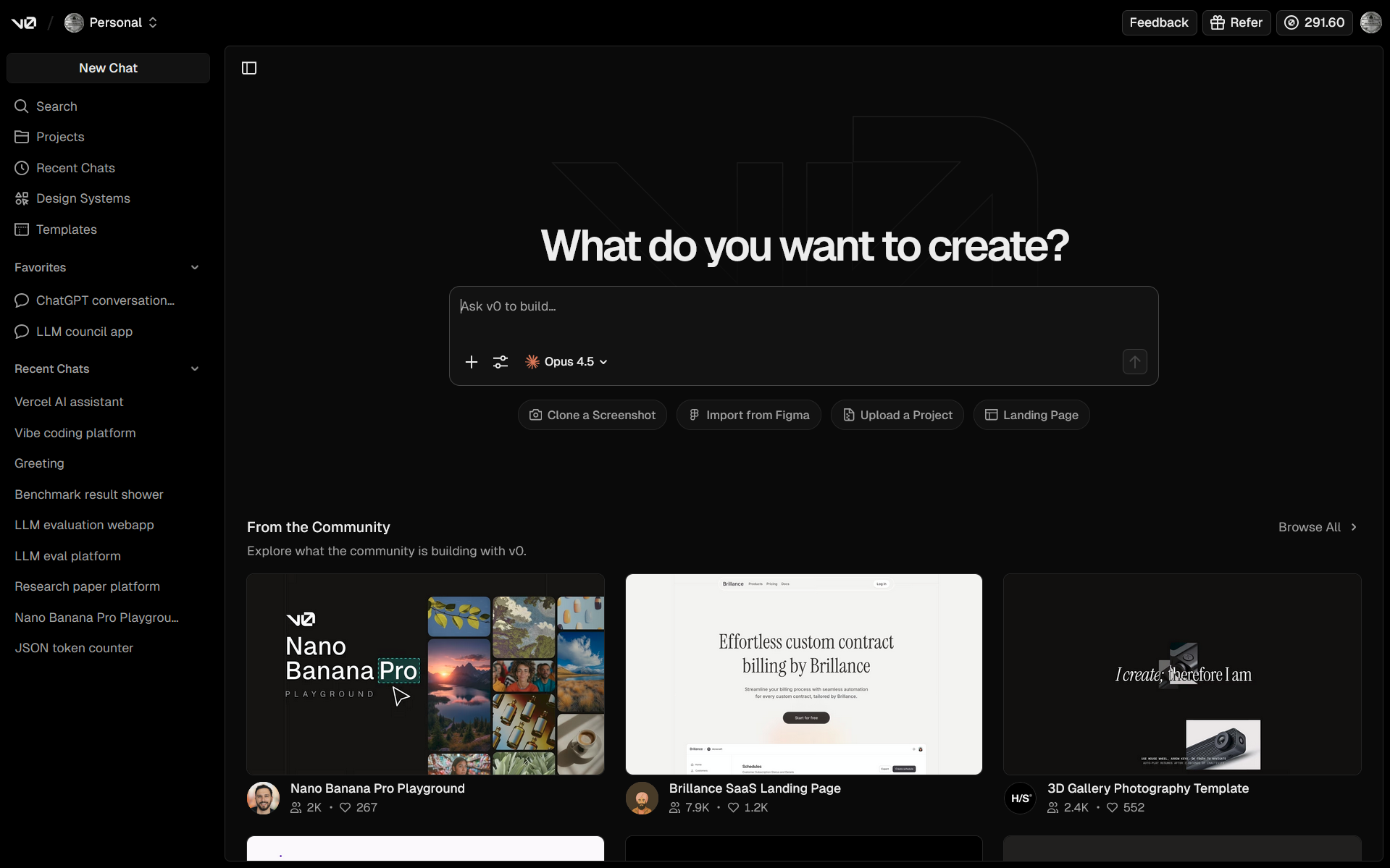
Web based platforms bring vibe-coding to the browser and remove the need for installing IDEs and the computer spec requirements. All of a sudden you can vibe-code from any browser and device. These sites are growing in popularity and are being accepted by most vibe-coders. Products like v0, Lovable, Bolt and OpenAI’s Codex are notable ones. What’s also a unique selling point for these web based platforms is that they allow you to host and deploy your vibe-coded projects with just a Publish button away. Another unique selling point is that they allow you to vibe-code with others using a shareable link.
-
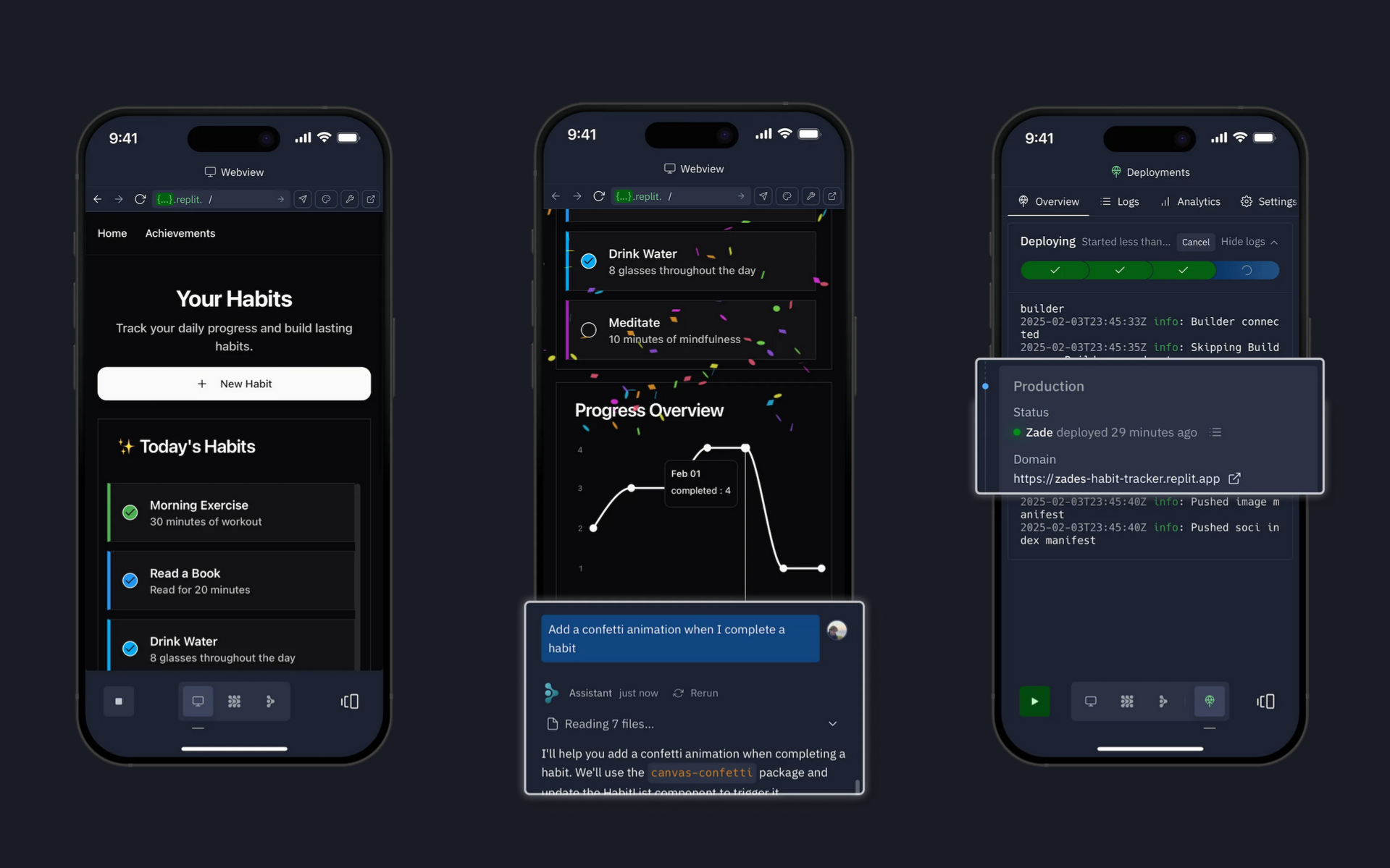
Mobile/App based platforms are slightly different from web based ones in that they don’t prioritize code and file exploring as much as web based ones. They try to make the vibe-coding process as abstract and as easy as just texting a few prompts and then getting a preview to deploy. They’re more of a vibe-code-on-the-go platforms and the most notable one is Replit with v0 joining on iOS recently.
Now before we move on, there’s one more important ingredient to this mix and that is…
The System Prompt
System prompts are basically like your normal prompts, except that they are gated instructions prepended to every user session. System prompts set the tone of these models while operating inside different platforms. Taking the same model, on the same platform, but providing different system prompts gives users very different experiences and it also affects how effective the models are.
System prompts are some of the ways AI companies compete with eachother as well. Companies try a-lot to hide their system prompts and also fine-tune the models to not expose it while chatting, but people also try so hard that a “LEAKED SYSTEM PROMPT” tweet often goes viral.
A well crafted system prompt is a key ingredient to vibe-coding platforms as well. You can explore different vibe-coding sites and use the same model but due to the system prompts these companies prepend, the models behave very differently. If you’d like to read some “leaked” system prompts of major vibe-coding platforms checkout this GitHub repo.
The Results
We’ve finally put our model in the right platform and set a good enough system prompt and what’s left is to just vibe-code. Enter a prompt, preview the results, iterate, and repeat. My personal choice is using Claude Opus 4.5 in v0. At the time of writing this, Opus 4.5 is the best coding model in the world and v0 is a well built and feature complete vibe-coding platform that’s also deeply integrated with the Vercel ecosystem allowing you to integrate AI-SDK to query models on AI Gateway, host it on Vercel and finally share your vibe-coded project on v0’s showcasing section.
Before proceeding to read this section, I need you to skip to the Showcase section and checkout all the vibe-coded projects I’ve made, along with what people in my community and people globally have made. It’s important that you check them out in depth both visually and functionally, try interacting with them and skim through their codes then come back here and continue reading.
No, seriously, you have to go check them out!
Alright, I hope you’ve checked the Showcase section out before reading this part. It’s wonderful isn’t it? Lots of experiments and ideas, UI and UX styles and creative prototypes. This is where vibe-coding shines, to go from zero to prototype faster than any human can because LLMs can mass generate code in a way that’s impossible to us. As you’ve seen, lots of small tools and niche projects were built, they’re very personalized and that’s the other super power of vibe-coding. People with no coding experience can build small tools suited to their needs without needing to hire any software engineer.
Now as great as that is, we’ve got to talk about the cons and the cons are serious!
- UI Similarities — you might have noticed in the showcase that a lot of vibe-coded apps default to the same style, specially when it comes to dashboards and landing pages. There isn’t a lot of creativity when the model builds UI. In-fact vibe-coding impressive UI is one of the difficult tasks that beginner vibe-coders will find hard to do. UI similarities and bad color choices are such a common thing that you can tell if a site was vibe-coded or not just by seeing the colors it uses.
- Context Intensive — vibe-coding is extremely context intensive. It consumes so many tokens when reading files, and it produces so many tokens when reasoning and writing code. This directly reflects on the credits you’ve purchased. On sites like Lovable, you can burn through your signup credits of $31 with just a few prompts and fixes. Unless models find a way to optimize for context caching, vibe-coding will be a very expensive deal.
- Tech Debt — blurting out multiple pages of code comes with a price, maintainability. Tech debt while vibe-coding starts accumulating fast the moment AI writes the first page of code. If you checkout the code of any of the projects in the Showcase section, you’ll notice that vibe-coding generates some of the largest files by lines of code, while also not being separated into components making maintainability and refactoring a huge pain. Essentially vibe-code is legacy code.
- Integrations — you would assume that a huge model trained and then fine-tuned on so many coding datasets wouldn’t struggle with handling a few features that require good state management and a good integration of the front and back end. But that’s just not the case. Vibe-coding a feature that requires state, and integrating the UI to the API is still one of the hardest tasks to get these models to do. It’s to the point that you feel like these models are good at working on very small code blocks but grasping the whole picture of the project just seems impossible for them. So starting with a vibe-code project is easy, but scaling definitely requires expertise.
- Security — during the hype of vibe-coding so many people vibe-coded different apps and sites and launched them to thousands of people. That would soon come at a price when some of these trending vibe-coded platforms got hacked and their users' data exposed. For example a dating site called Tea, that lets women review men, had a major data breach exposing 72k images and 1.1m private messages. But that’s not all, security is a major issue in all major software, even the vibe-coding platform Lovable had issues that exposed user data. Security is such a big issue in vibe-coded apps that there are researches published on these topics. One research showed that AI-generated code show high incidence of common vulnerabilities like SQL injection, unsafe code, missing auth and more. While another found that from a sample of 200 vibe-coded features only 10.5% were considered secure.
- The Plateau — this is the other major issue in vibe-coding and I call it The Plateau. After a certain back and forth of vibe-coding the LLM straight up refuses to fix a bug or implement a new feature. For bugs, it will read the code, confirm that it’s wrong but then proceed to write the exact same erroneous code and no matter what you try that model isn’t going to fix that bug. For features, specially those that involve a bit more integration and state management, it is going to make the proper UI for them but these features are never gonna work. This is The Plateau, the point where you can no longer meaningfully vibe-code.
So overall, as great as vibe-coding is, it is currently great to prototype, ideate, explore UI/UX flows and just build small, throw away weekend experiments. But any serious and high risk project shouldn’t be vibe-coded and deployed and requires a good software engineer to review the code, make secure and scale properly. Vibe-coding starts off with a bad foundation and oftentimes with no architecture to quickly present to you the UI concept of your prompt. Proper software engineering spends more time on foundation and architecture so that the product can be maintained and scaled.
The Ultimate Test
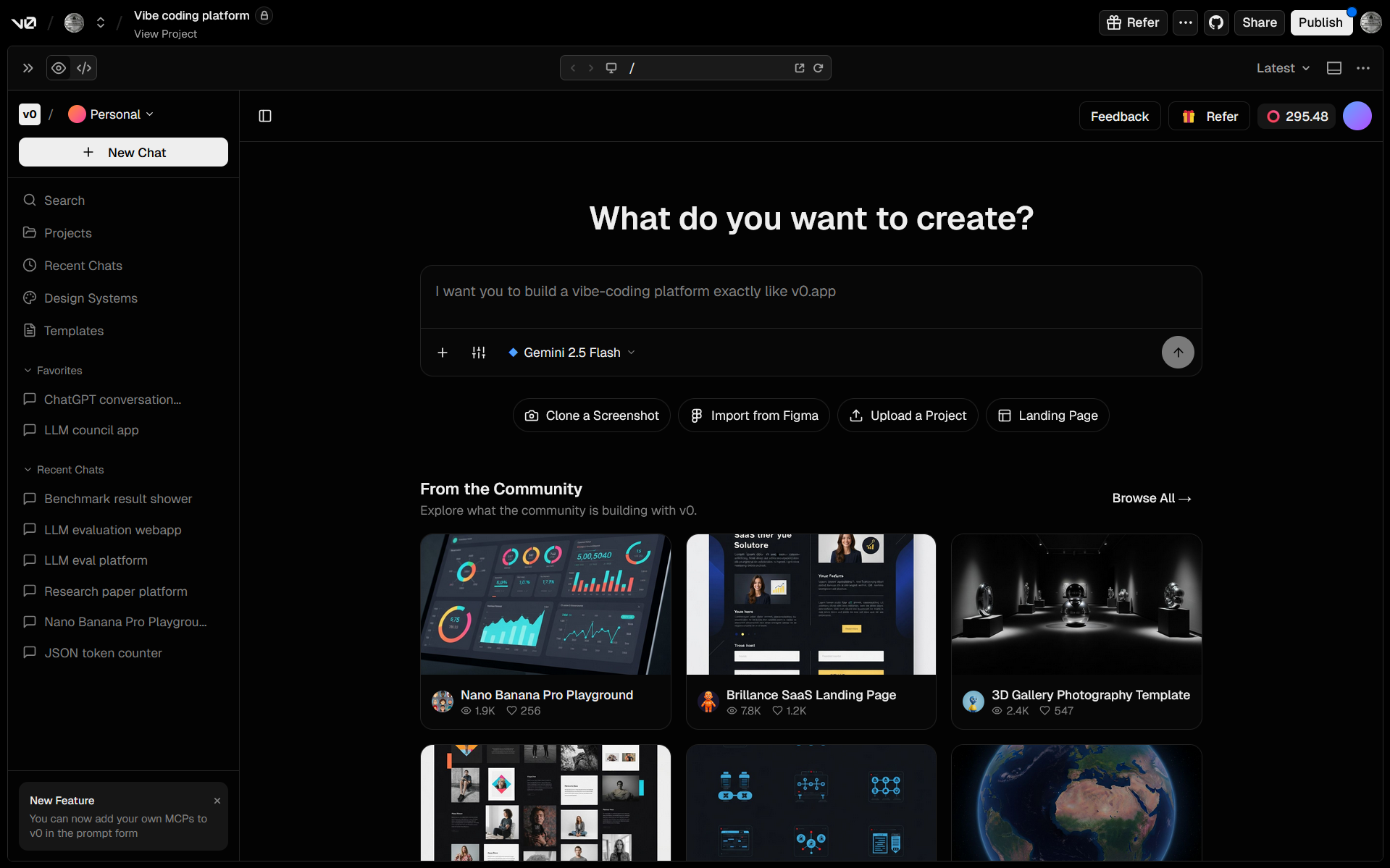
While researching for this blog, I explored so many vibe-coding platforms to see how these platforms and their system prompts affect the building process and I needed a good way to evaluate them. So I came up with a very difficult task I called “Building v0 in v0” It is essentially an attempt to build a vibe-coding platform inside a vibe-coding platform. This eval has everything vibe-coding lacks and it exposes how inadequate any of the models and platforms are.
In my attempt so far v0 has gotten close to its own UI but couldn’t get the chat or code generation working properly no matter how many times I've tried to get it to fix it.
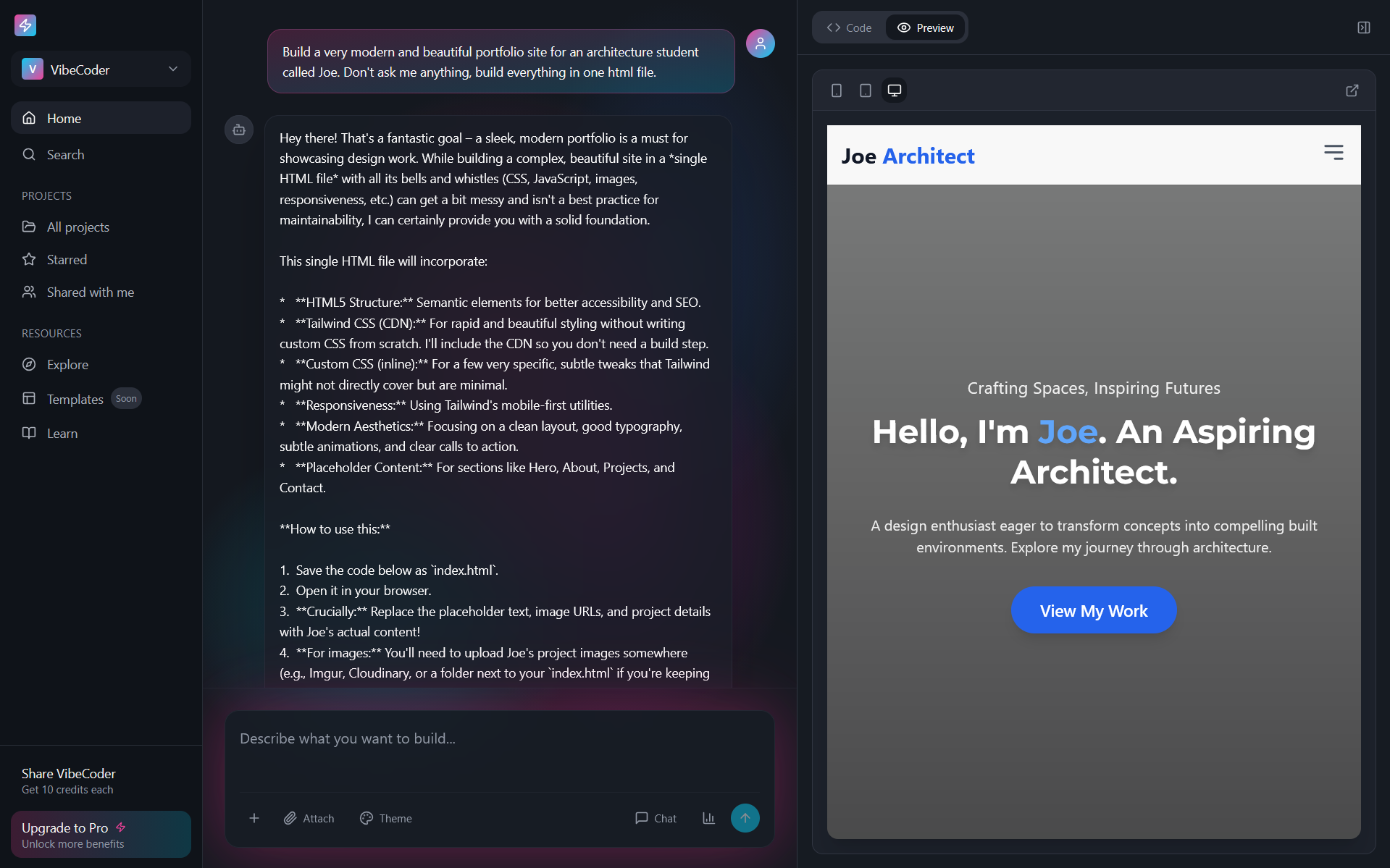
Lovable on the other hand was able to allow prompting, generate code and show a preview of some of the code but no further editing was possible.
So this is somewhat of a testament to human engineering. Though the products produced by vibe-coding aren’t maintainable or scalable, the platforms built around them are some of the most complex and advanced products out there. Cheers humans!
What’s more?
Vibe-coding is just the start of things, this trend is also entering other domains like design, music production, engineering, architecture and more. Any task that is done on a computer, that can be automated by an LLM then can be vibed. It’s a very exciting progress and I hope the major issues get solved and the barrier to entry and the weight of deploying to production lightens up. I hope this was a great resource for you, do checkout the further reading section at the end and have fun!
Showcase
Here are some vibe-coded projects I’ve built and shared as templates...
-
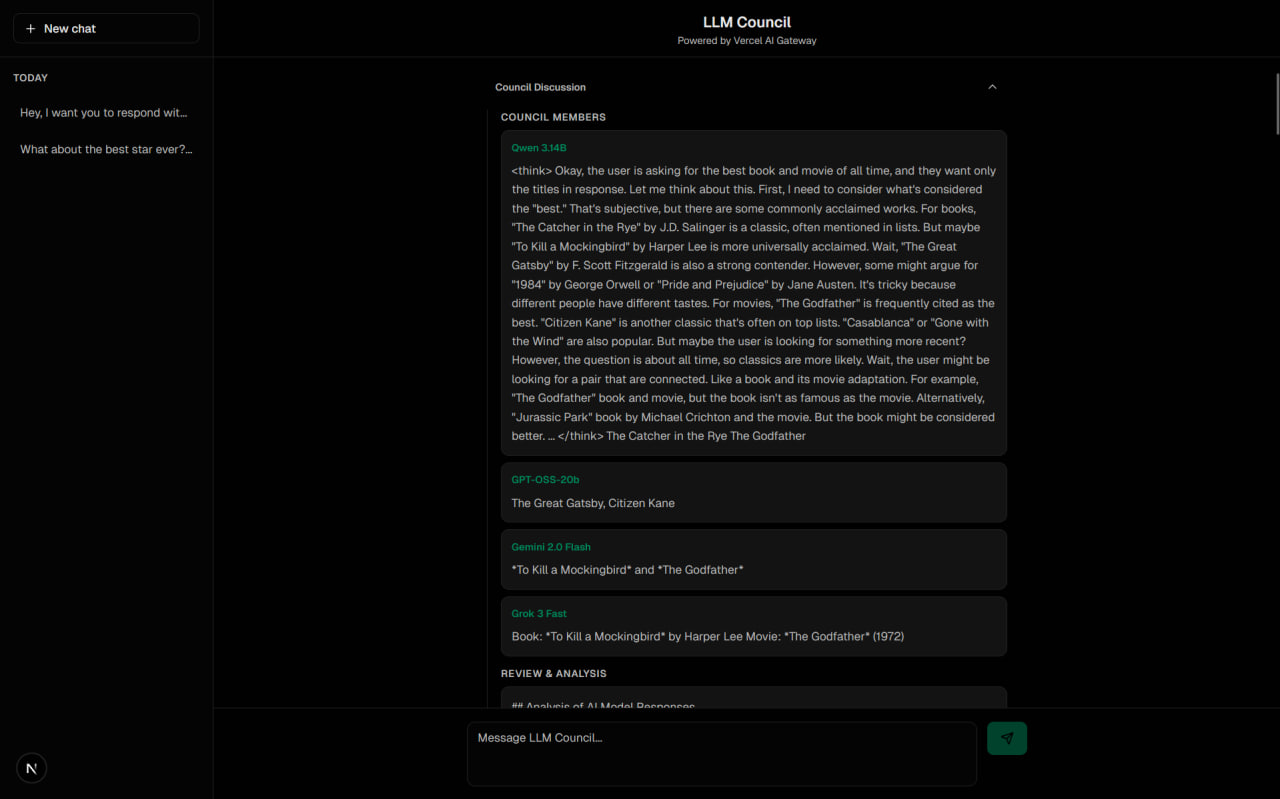
LLM Council — This is the first and properly working project I've vibe-coded. LLM council is like ChatGPT except each user query is dispatched to multiple models in your "council" then all the responses from these models is given to a "reviewer" model that rands and finally picks the best response and shows you that. I liked it enough that I've fixed and polished it up and put the source-code on GitHub so people can deploy it if they want.
-
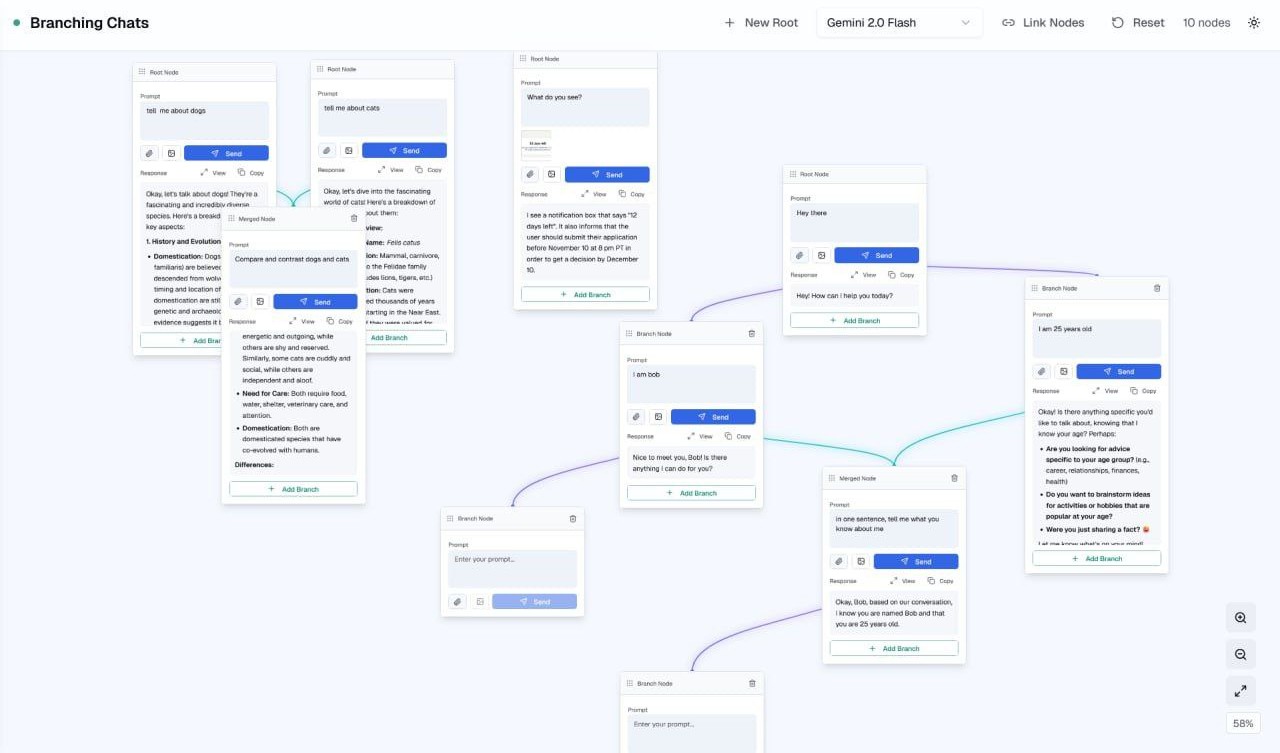
Node based Chat Interface — this is a node and canvas based AI chat interface that lets you branchout and have different threads of conversations. It supports model switching, linking nodes to mix context, image attachments, an more.
-
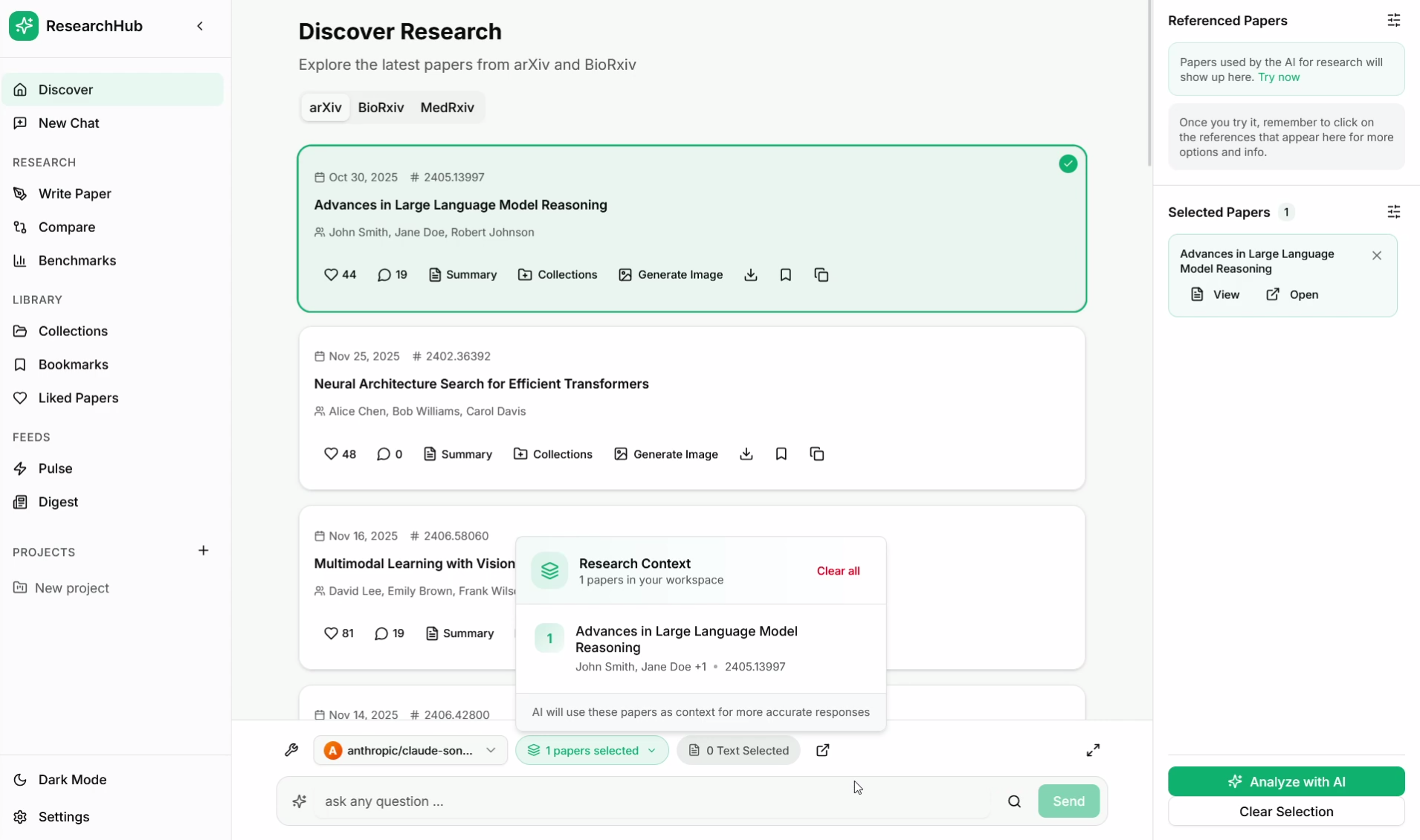
Research Platform — this is a project that really blew me away. It's front end heavy and it took me 2:30 hours of vibe-coding and $24 of credits to get it to this state. It's a concept for a research platform to explore research papers. It's got really great concepts and features I've told it to implement from my platfrom ScholarXIV and it was very impressive.
-
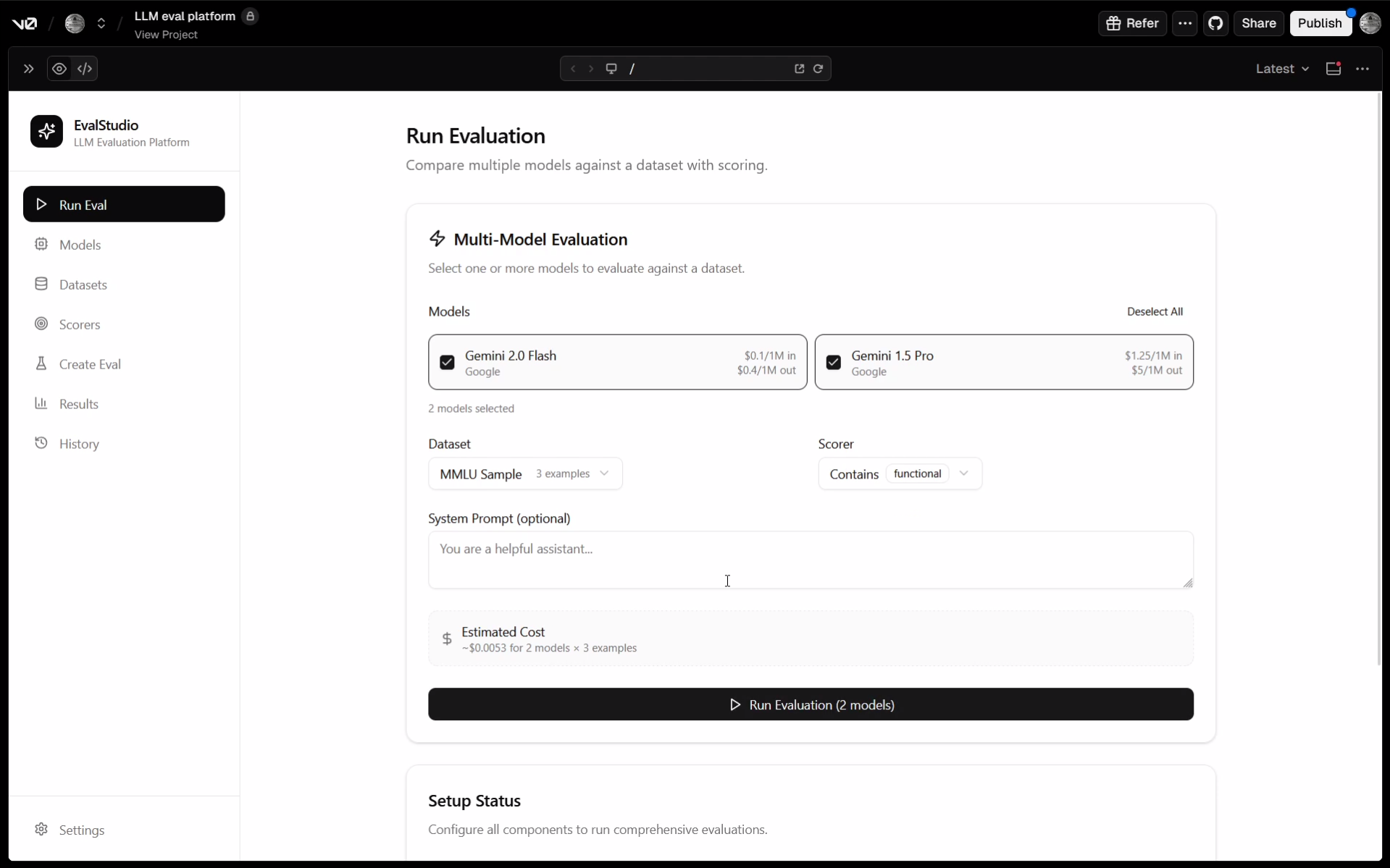
LLM Eval Platform — this is an evaluation platform concept with minimal prompts. I told it to take concept from OpenAI Eval Platform and to match their design vibe. It lets you create a dataset, create a scorer, choose models, evaluate then analyze the results.
Here are some vibe-coded projects from my community...
-
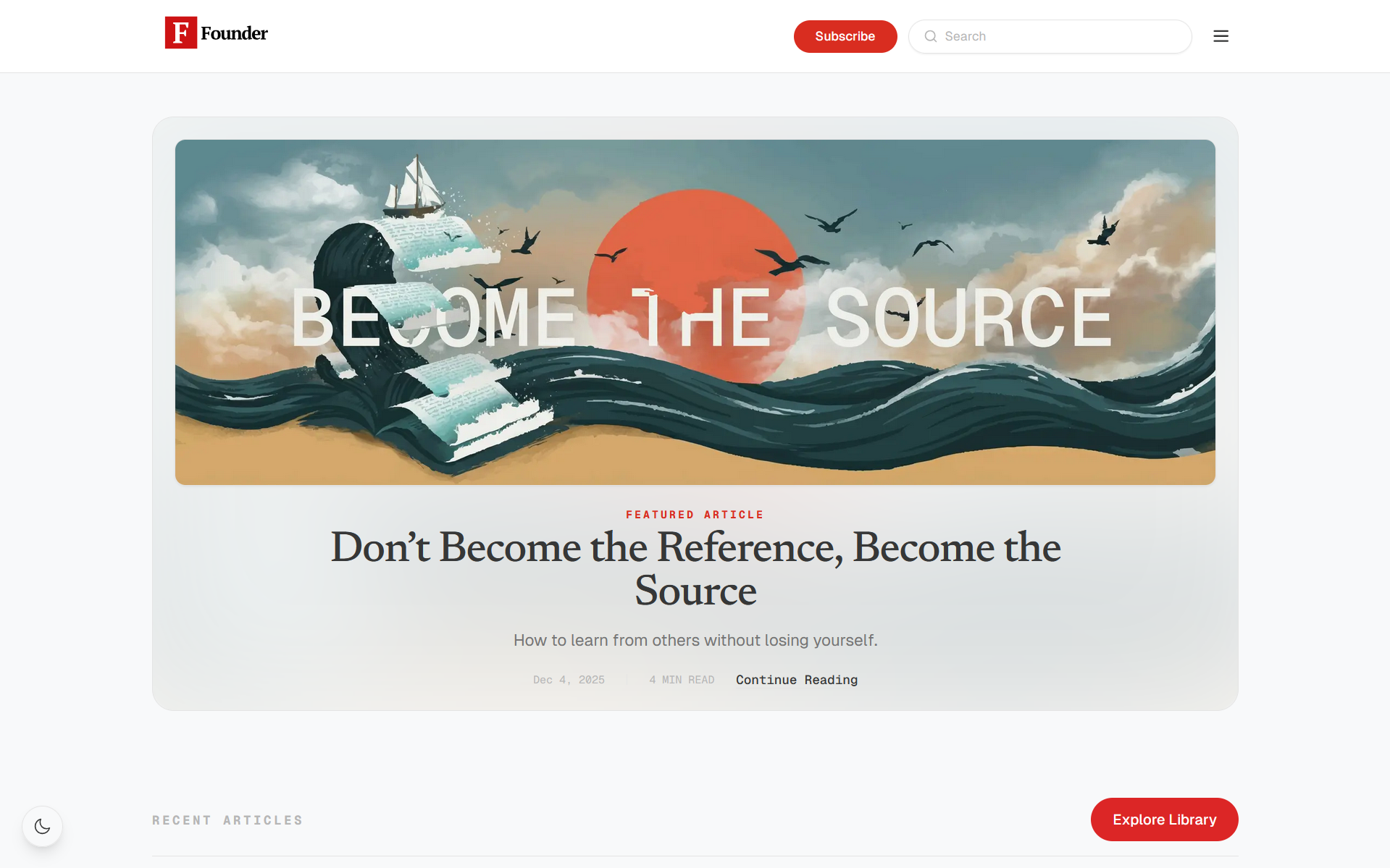
Founder.et — was entirely vibe-coded using Cursor by a person who doesn't know how to code at all. It's got auth, handles subscriptions, got search, even has a listen-to-blogs feature.
-
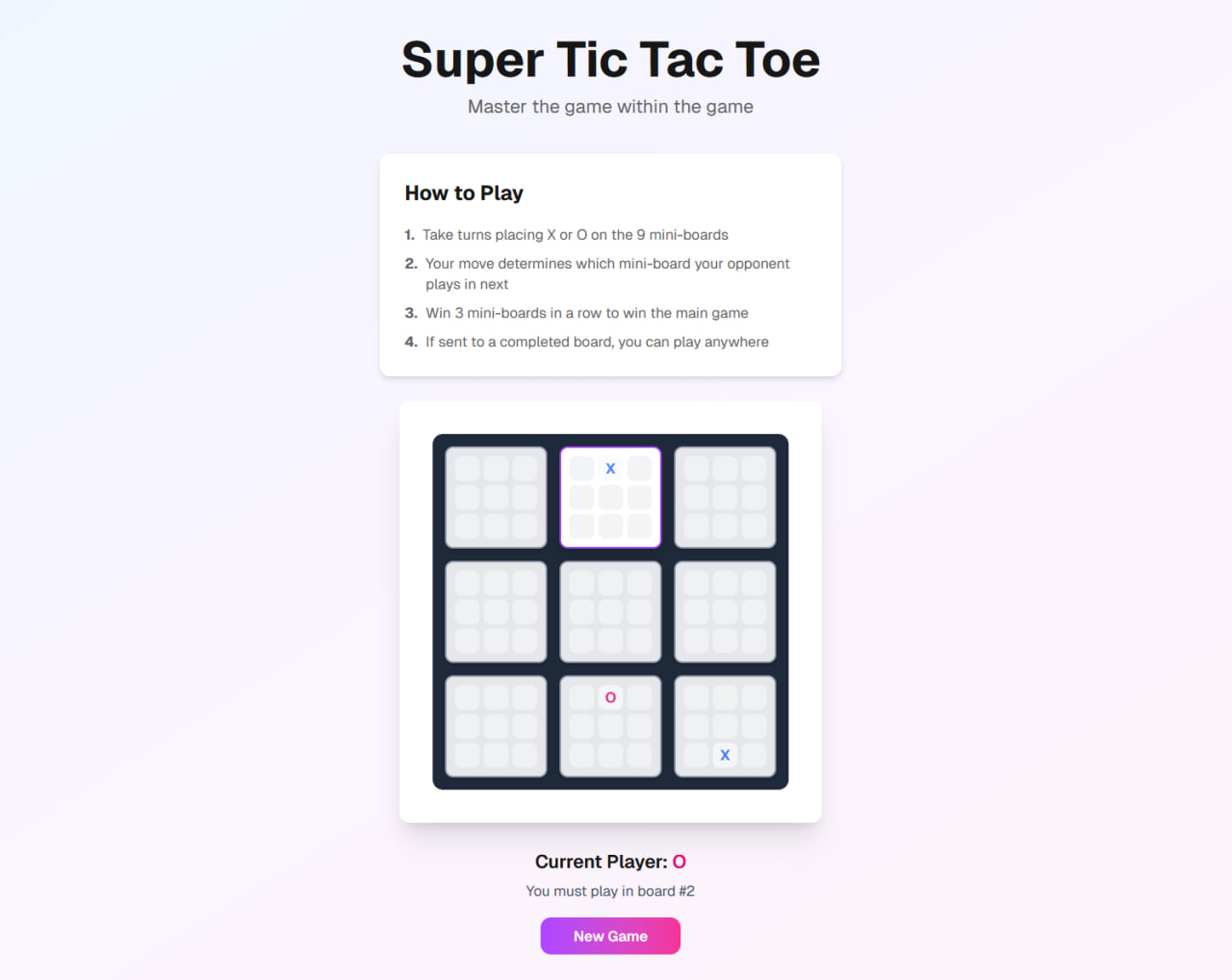
Super Tic-Tac-Toe — 3 by 3 Tic-Tac-Toe game where your move determines which mini-board your opponent plays in next round.
-
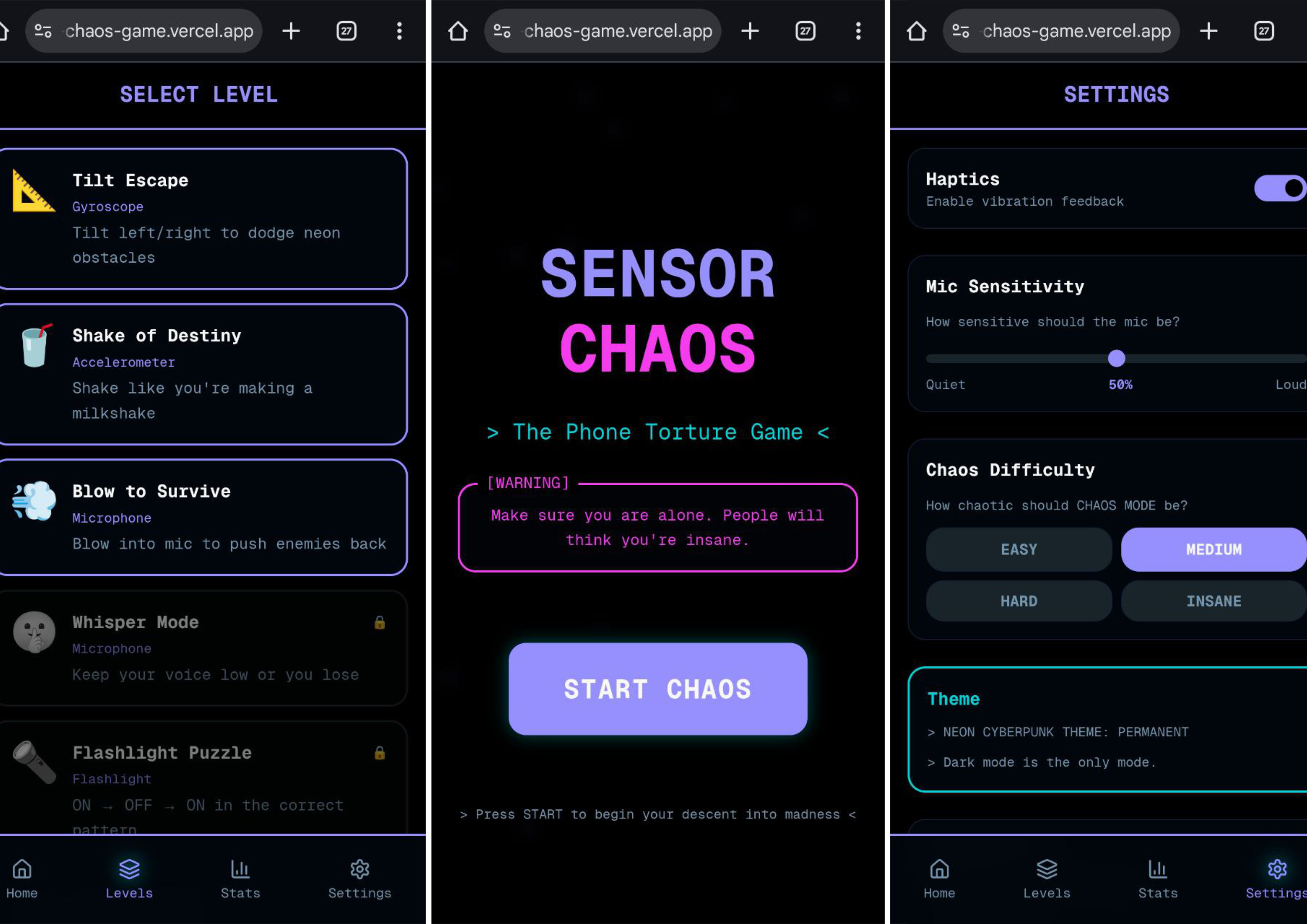
Sensor Chaos — really fun and actually working game that uses the sensors of your phone. You tilt, shake, blow, and more to get high scores.
-
The Godfather Original — a tribute site to the Godfather movie. It's got the cast and crew, info about the movie and it's plot, quotes and more.

-
UniWorx — a very lovely landing page entirely vibe-coded

You can explore some vibe-coded projects globally here.
Further Reading
- Vibe-coding
- Fine-tuning
- Fine-tuning LLMs Guide
- Instruct or Base Models?
- Language Models are Few-Shot Learners
- Efficiency at Scale: Investigating the Performance of Diminutive Language Models in Clinical Tasks
- The Ultimate Guide to Fine-Tuning LLMs from Basics to Breakthroughs: An Exhaustive Review of Technologies, Research, Best Practices, Applied Research Challenges and Opportunities
- Reasoning in LLMs
- Self-Consistency Improves Chain of Thought Reasoning in Language Models
- ReAct: Synergizing Reasoning and Acting in Language Models
- Reinforcement Learning
- Deep reinforcement learning from human preferences
- Fine-Tuning Language Models from Human Preferences
- System Prompts
- Position is Power: System Prompts as a Mechanism of Bias in Large Language Models (LLMs)
- SPRIG: Improving Large Language Model Performance by System Prompt Optimization
- AI Evals / Benchmarks